Xiaohongshu Seeding Note Image Spec 2026 (Cover / Product / Comparison Sizing + Layout Playbook)
The complete cover, in-note product, and comparison image spec for Xiaohongshu seeding notes — plus 6 visual rules that keep your post from reading like an ad.
If you've been running Xiaohongshu (RED — China's Pinterest-meets-Instagram lifestyle platform) for product seeding, you already know it's a different animal. I've been doing this for four years, from phone cases to home appliances, and the pits I've fallen into could circle the Earth three times. Lately, a new wave of sellers keeps asking me the same thing: "My note photos look polished — why won't CTR move?" I open their feed and there it is — classic "this-screams-ad" syndrome. The playbook for Xiaohongshu product images is nothing like Taobao hero shots or Douyin thumbnails. In this piece I'm laying out the 2026 cover sizing, in-note specs, comparison layouts, plus the 6 "de-ad-ification" visual rules I've been quietly using to beat the algorithm.
I'll also drop a real CTR comparison at the end: the same product shot as a traditional studio retouch vs. an AI-generated UGC-style image. Once you see the numbers, you'll know exactly why no one's clicking your notes.
Xiaohongshu Cover / In-Note / Detail Image Sizing Overview
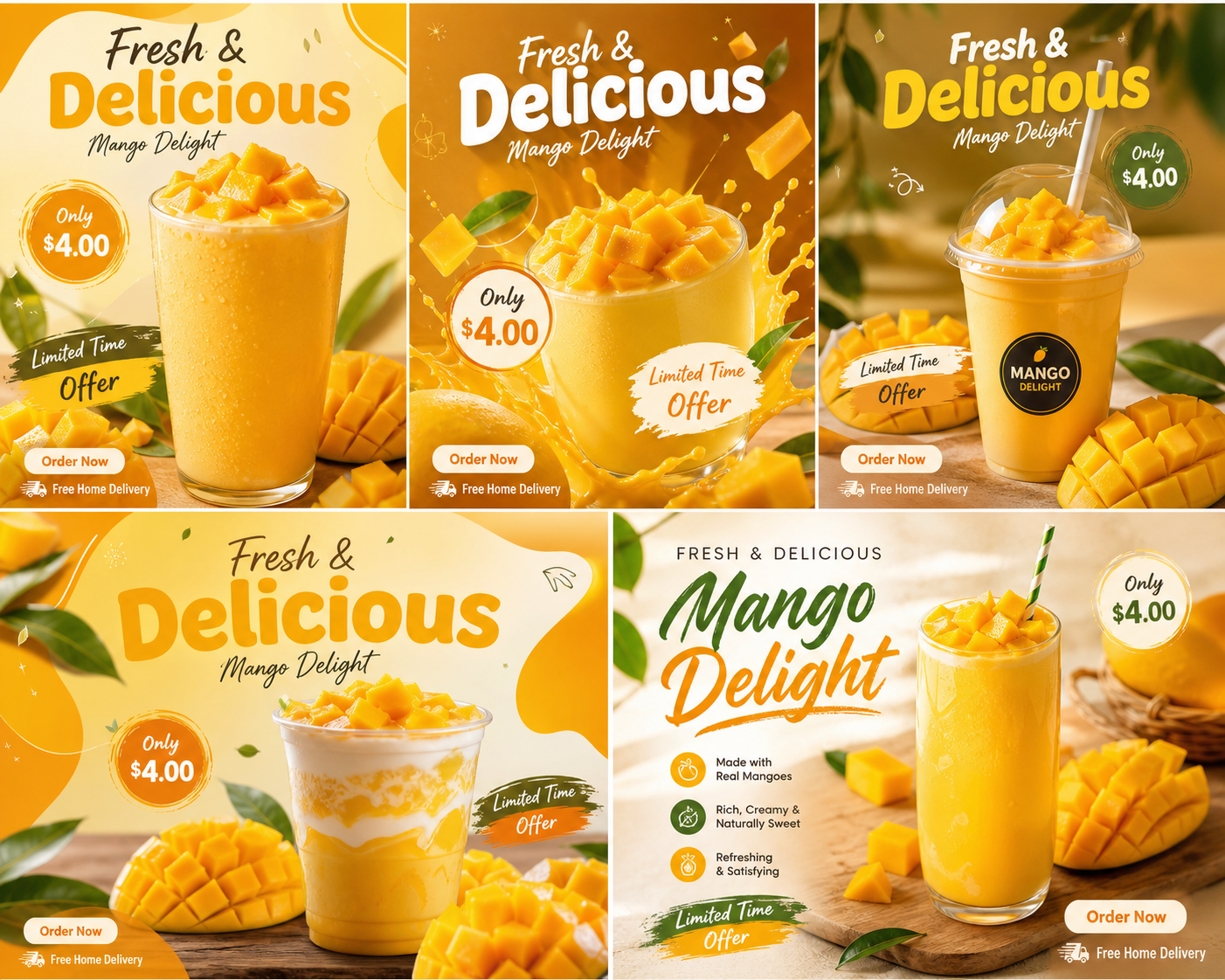
Let's level-set the specs first. Xiaohongshu's 2026 algorithm hasn't shifted its image-size preferences dramatically, but a handful of details will get you flagged as "non-original / batch account" and instantly throttled if you ignore them.
| Image Type | Recommended Size (px) | Aspect Ratio | Use Case | Must-Hit Detail |
|---|---|---|---|---|
| Note Cover (recommended) | 1242 × 1656 | 3:4 | First image in feed | Headline must be legible; leave a 15% safe zone at top |
| Note Cover (landscape) | 1080 × 810 | 4:3 | Single landscape composition | Use with caution — 30% smaller footprint in feed |
| Note Cover (square) | 1080 × 1080 | 1:1 | Minimalist styling | Fits beauty / home minimalist accounts |
| In-Note Product Image | 1242 × 1656 | 3:4 | Images 2–9 of a multi-image note | Match cover ratio for a smooth swipe-through |
| Comparison (Before / After) | 1242 × 1656 | 3:4 | Left-right or top-bottom split | The center line cannot be off, ever |
| Detail / Spec Image | 1080 × 1920 | 9:16 | Long-form explainer | One info point per screen — don't stack |
| Product-Set Grid | 1080 × 1080 | 1:1 | Collage note | Leave a 12px gutter per cell for breathing room |
Key takeaway: use 3:4 (1242 × 1656) for covers. It's the ratio with the largest feed footprint in 2026 and the one the recommendation pool feeds on most aggressively. Stop using 1:1 — it gets squashed in the two-column waterfall, your headline shrinks, and CTR tanks.
One more detail most people overlook: don't get lazy with file names. The fastest way batch accounts get exposed is sequential names like IMG_001.jpg, IMG_002.jpg — the system catches that pattern instantly. My own naming convention is "category + scene + date," e.g. xiangfen_keting_0517.jpg, which looks like something a real person saved off their phone. Keep file size between 300KB and 800KB. Smaller and it gets flagged as a low-quality screenshot; larger and upload-side compression introduces jaggies.
The Complete Design Rulebook for the 3:4 Cover
The cover drives 70% of your CTR. I've said it 8,000 times in team training. Yet most people still wing the layout. Here's a formula you can run on autopilot.
Visual zoning (top to bottom, three bands)
- Top 15% (safe zone): White space or a light tint. The feed overlays a gradient mask on top of the cover — anything important here gets eaten.
- Middle 60% (primary info zone): Big headline + hero shot. Headline width should fill 70–85% of the cover; 9–13 Chinese characters (roughly 5–8 English words) is the sweet spot, 16 max.
- Bottom 25% (hook zone): Subtitle, price tag, "⬇️ check comments" pointer, or a half-body shot of a person.
Headline length vs. type size
| Headline Length | Recommended Size | Visual Effect |
|---|---|---|
| 6–8 chars | 130–160 pt | Maximum impact, suited to contrast-style hooks |
| 9–12 chars | 100–120 pt | Sweet spot for readability |
| 13–16 chars | 70–90 pt | Info-dense, works for how-to notes |
| 17+ chars | — | Don't. Rewrite. |
Whitespace rule
Don't pack every pixel. Keep cover whitespace at 25–35% so the image can breathe. A jammed cover reads like a TV-shopping screenshot — users swipe past in a heartbeat.
Color palette
Primary + accent + neutral — three colors, hard cap. Don't paste rainbow badges all over the image. That's Taobao-detail-page logic, not Xiaohongshu's visual language. Two palettes I rotate constantly: cream white + caramel brown + a touch of forest green (works for home fragrance, coffee gear); dusty blue + off-white + warm orange accent (works for beauty and baby goods). I've used both for a year — the data stays rock-steady.
Headline hook structure
The headline isn't a flat product description — it carries a hook. Three patterns that work: contrast ("A $30 diffuser stone — I figured it was a scam"), question ("Bedroom smell off in summer? Probably missing this"), comparison ("Swapped this in and my place finally smells like a showroom"). Hard-sell headlines ("XX Diffuser Stone — New Arrival, Discount") have already been algorithmically downweighted. Stop using them.
6 Visual Rules to Keep Seeding Images from Looking Like Ads
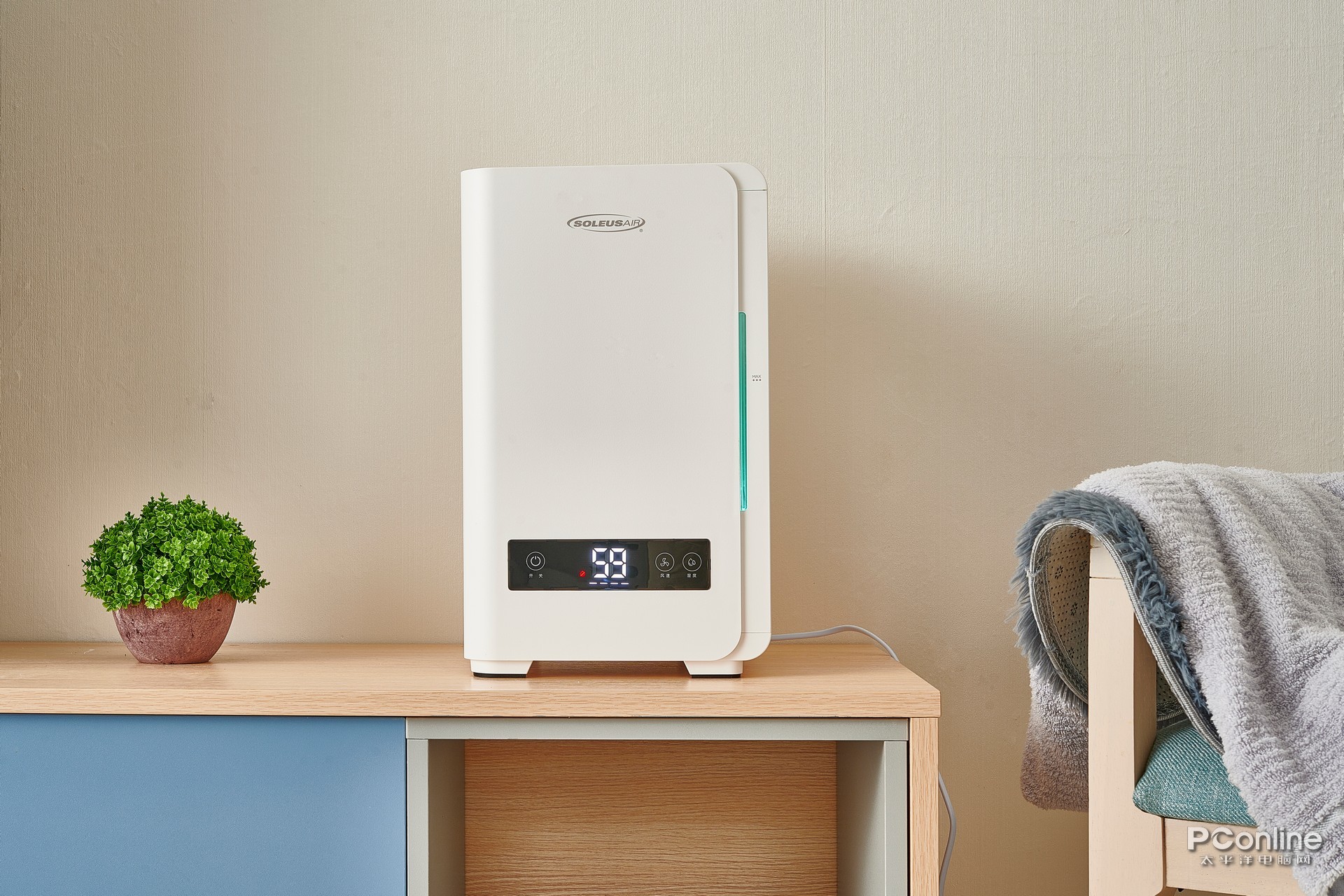
This is the most valuable section of this article. When notes get throttled and won't push, the moderation reason boils down to one phrase: "too commercial." The 6 rules below come from conversations with on-platform ops folks plus my own repeated A/B tests.
UGC feel > studio feel: There must be "life evidence" in the background. Couch wrinkles, a coffee cup at the table's edge, natural sunlight through curtains — that "imperfection" is what reads as real. Save the clean studio-white shots for your storefront hero image, not your seeding note.
Lifestyle scene > product monologue: The product needs to be "in use." A skincare bottle on the bathroom counter, not floating in mid-air. Earbuds on someone's ear, not laid flat. The system identifies "usage scene" and weights it up in recommendations.
Comparison layout — the center line must be dead vertical: Left/right Before-After is the killer format for seeding, but the moment that center line tilts, the whole image loses its credibility. When generating comparison images with AI, check pixel-level alignment on the center line.
Avoid heavy filters: That signature over-processed "influencer-filter" look has been algorithmically tagged as "marketing-image signature" in 2026. Light grading — brightness +5, saturation −3, sharpness +10 — is what reads as current.
Show part of a body: A hand, wrist, neck, half a face — any visible body part raises the "lifestyle share" classifier probability by +40%. Pure product-prop shots get filed as "commercial ads" almost by default.
Cap text labels at 1–2 spots: One main headline plus one small tag, max, on the cover. For in-note product images, skip text where you can. A seeding note's logic is "image with caption underneath," not "image with caption pasted on top."
A Trick to Generate "Non-Ad" Product Images with AI in One Click
A lot of sellers ask me: "These lifestyle scenes, comparison shots, body-in-frame photos — I'm a one-person operation, how do I shoot them? Renting a studio is a money pit." That's exactly why 80% of my note images now come out of an AI image-set tool.
Here's my current workflow:
| Step | Action | Time |
|---|---|---|
| 1. Prep a white-background product shot | Quick phone photo, knock out the background | 2 min |
| 2. Upload to an AI image-set tool | Pick the "Xiaohongshu Seeding" template pack | 10 sec |
| 3. Generate multiple scenes in one click | Living room / bathroom / desk / café — auto-batched | 30 sec |
| 4. Generate comparison images | Pick the "Before/After" template, input the key selling point | 30 sec |
| 5. Generate the 3:4 cover | Headline auto-laid out per cover rules | 20 sec |
| 6. Tweak and download | Adjust a few words, fine-tune color | 2 min |
End-to-end: 5–6 minutes, 9–15 publish-ready images. Compare that to the old way — photographer + retoucher at $200+ per set, three-day turnaround — and the cost/efficiency curve isn't even in the same universe.
A quick tip on prompts: don't pile up adjectives. One sentence covering "product + scene + mood" is enough. For example: "On a wooden desk with sunlight slanting across, an open book and a cup of coffee beside it." The more concise you write, the more natural the output. The more you stack qualifiers ("ultra-HD, masterpiece, perfect lighting"), the more it pushes back into ad territory.
Data Check: Studio Retouch vs. UGC-Style AI Image — CTR Gap
Enough theory — here's the data. This is a 30-day A/B test our studio ran on a home-fragrance account, same product (a $30 desktop diffuser stone), 20 notes published: 10 with traditional studio-retouch hero shots, 10 with AI-generated UGC-style scene images.
| Metric | Traditional Studio Retouch | UGC-Style AI Scene | Delta |
|---|---|---|---|
| Avg. cover CTR | 4.2% | 7.8% | +85.7% |
| Avg. read-completion rate | 38% | 56% | +47.4% |
| Comment engagement rate | 1.1% | 2.4% | +118% |
| Product-page click-through | 0.6% | 1.5% | +150% |
| 30-day GMV (USD equiv.) | $1,200 | $3,100 | +156% |
Data doesn't lie. Cover CTR jumping from 4.2% to 7.8% means the same impressions pull in nearly twice as many people. Every downstream funnel metric scales accordingly. If you're still publishing white-background studio shots as seeding notes, you're literally burning impressions.
One honest footnote: this isn't saying retouched hero shots are useless — they belong on your storefront hero image, your product detail page, and your e-commerce shelf. Seeding lives on a "content platform," not a "shelf platform." Change platforms, change visual language.
Get It Done in 30 Seconds with YunJing AI
If you read through all that and thought, "this is too much, I'll never learn it" — relax. That's exactly why I'm running YunJing AI right now.
It bakes in every rule above: covers auto-rendered in 3:4, scene images auto-populated with lifestyle elements, comparison center lines pixel-aligned, color grading that auto-avoids the oversaturated "influencer filter" look. Upload one white-background shot, pick the Xiaohongshu Seeding template pack, and 30 seconds later you've got the full set ready to publish.
In my own real-world test launching a new SKU, from the moment I had the white-background photo to having 9 note images ready to post was 8 minutes end to end. Open it, give it a spin, and just keep using it.
Want to try the workflow described above?
Start with YunJing AI →