Case Study: Generating a Full Product Image Set for a Home Appliance in 30 Seconds (Soleus Air Humidifier End-to-End Workflow)
One reference photo, four e-commerce-ready images — a complete breakdown of the AI generation workflow that takes the Soleus Air mist-free humidifier from spec sheet to listing-ready assets, fully replicable from the yjz.ai homepage.
Home-appliance product photography is widely regarded as one of the toughest categories for both cross-border and domestic e-commerce teams. Bodies are typically matte white or brushed metal, which forces the studio to fight reflections and overexposure while still finding a way to show invisible or semi-transparent features such as mist, air outlets, and filter structures. That usually means two or three lighting setups, repeated teardown shots, and a tray of mist props. This article walks through the full generation workflow for a new Soleus Air mist-free humidifier on YunJing AI (yjz.ai) — the seller supplied a single white-background reference photo, and 30 seconds later we had four review-ready listing images. The case is also pinned on the yjz.ai homepage under "Creation Examples," where any visitor can open it up and replicate the exact parameters.
Seller Background: Soleus Air Mist-Free Humidifier
Soleus Air is a brand serving the mid-to-high-end home environmental appliance market. The SKU we are revisiting is a 3.5L mist-free humidifier. Key specs and sales context:
| Item | Details |
|---|---|
| Capacity | 3.5L large tank, suitable for 25–40 m² bedrooms and living rooms |
| Filtration | 5-layer composite filter (pre-filter + antibacterial cotton + activated carbon + HEPA + ion layer) |
| Ingress protection | IPX5 rating, fully washable body |
| Noise | 28 dB measured in sleep mode |
| Appearance | Cylindrical form, matte white, top-mounted touch panel, no visible air outlet |
| Target markets | North America plus tier-1 and tier-2 cities in China, focused on parents and allergy sufferers |
| Sales channels | Amazon US as the primary channel, JD.com self-operated as secondary |
The most immediate problem with multi-platform listing is that Amazon requires a pure white background with the product occupying at least 85% of the frame, while JD detail pages lean far more heavily on contextual lifestyle shots and comparison tables. The operations team's original budget covered roughly 1,200 RMB per SKU for studio photography with a three-business-day turnaround. The goal this time was to migrate the entire asset set onto an AI generation workflow.
One Reference Photo + Four Listing Images: Visual Breakdown
Reference photo — taken by the seller on a phone:
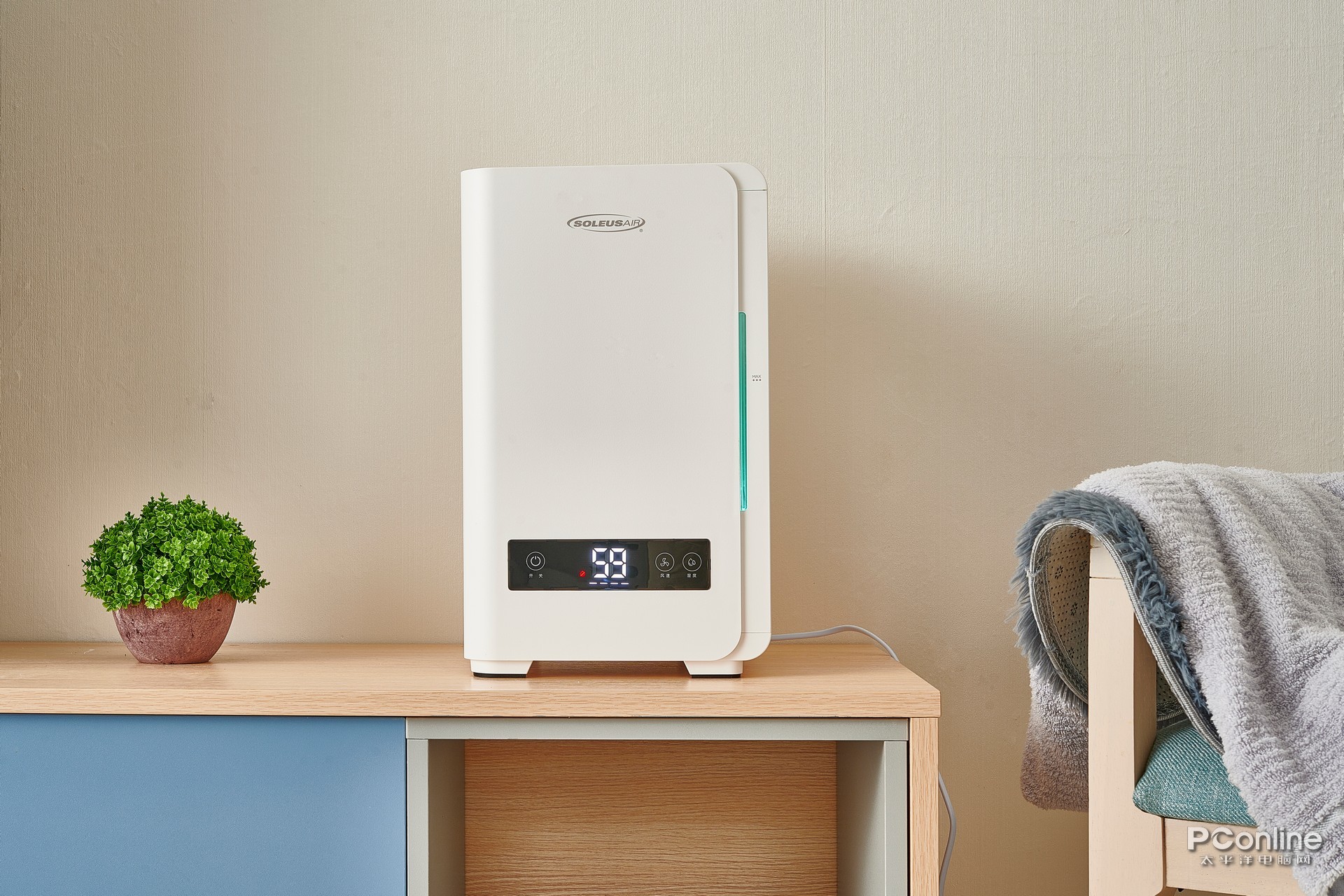
The seller provided exactly one piece of source material: a 45-degree front-facing shot of the product on a seamless white background, with the body fully visible, no watermarks, no overlay text, and a resolution of 2400×2400. From this single reference photo, YunJing AI produced the four e-commerce images discussed below.
White-Background Hero Image
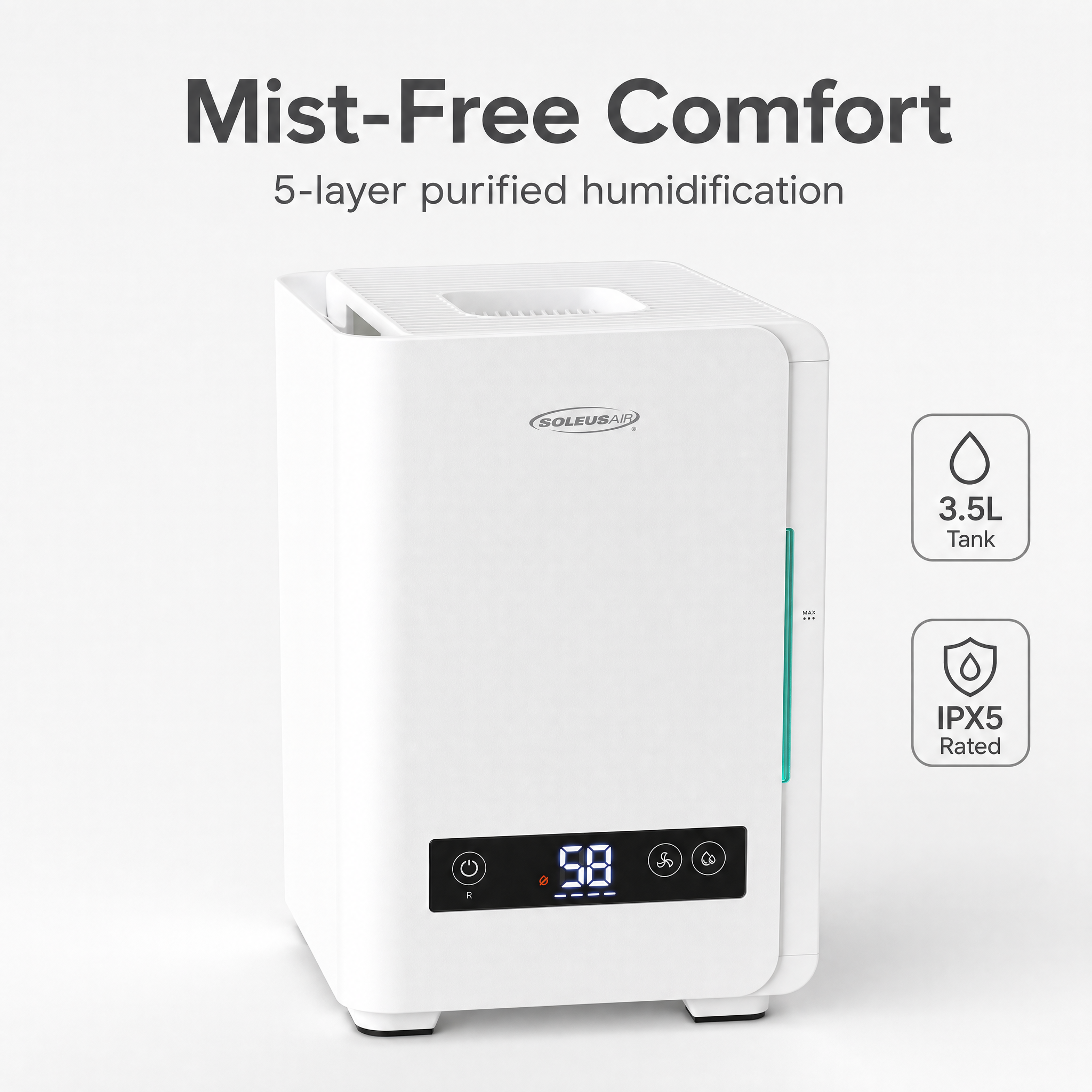
The composition follows Amazon's main image standards: a pure white RGB(255,255,255) background, the product centered, occupying roughly 88% of the frame, with a very faint gray shadow at the base to add a sense of volume. The shadow direction matches the reference photo, the icons on the top touch panel are subtly redrawn into crisper high-contrast lines, and the water-level line inside the transparent tank is softened to avoid being flagged by reviewers as a "non-product element." No text, no duplicated logos, no decorative props. This image maps directly to Amazon's MAIN image slot.
Lifestyle Scene Image
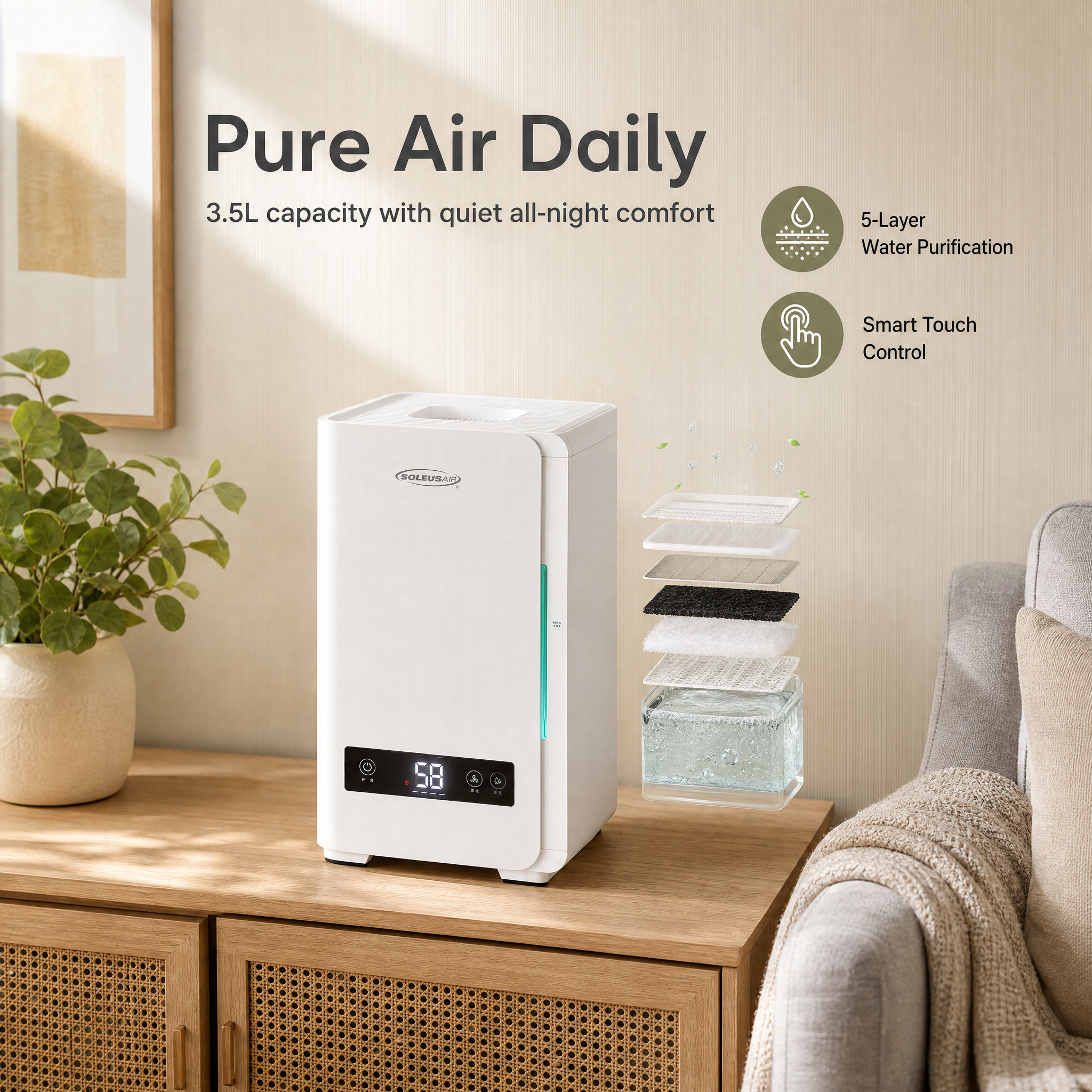
The product is placed into the corner of a Scandinavian-style bedroom: a light-wood side table, gray linen bedding, a warm reading lamp on the left, and the humidifier centered on the side table. A barely perceptible wisp of mist rises from the top of the unit — a deliberate nod to the mist-free humidifier's key selling point of "humid air, no visible mist." Roughly one-third of the frame on the right is kept clear so banner copy can be layered in later. The overall color temperature leans warm at around 4,200 K, with the cool white of the product itself contrasting against the warm ambient light to convey the idea that the unit sits quietly in a bedroom without feeling intrusive.
Social Media Ad Image
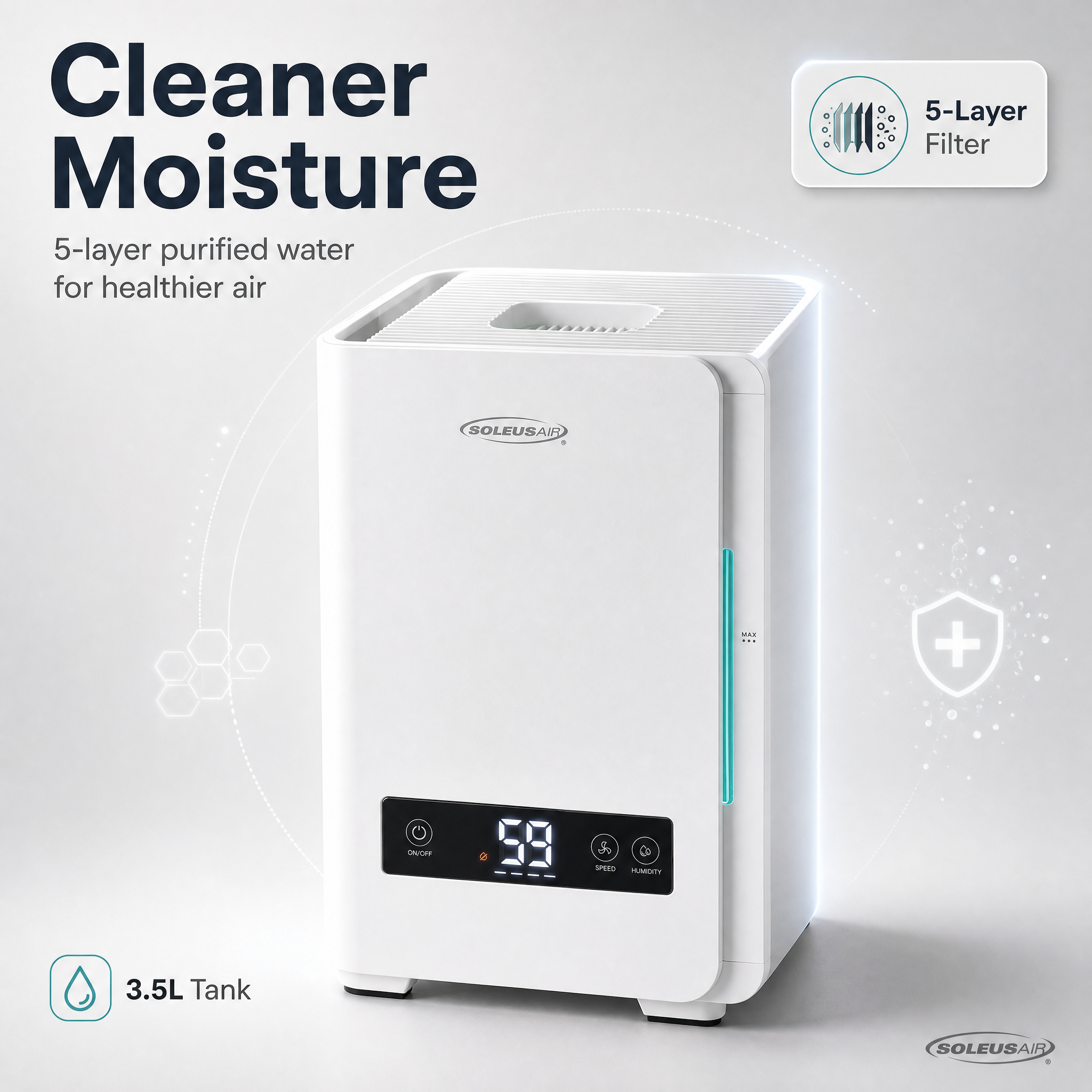
The social media version is built around the "Smart Touch Control" selling point: product centered, top touch panel highlighted, low-saturation cool background, brand logo zone in the upper left, and a short English hook line in the lower right. It crops cleanly to square and vertical formats for Facebook and Instagram feeds as well as Xiaohongshu lifestyle posts. The copy is restrained — the goal is to land "touch control, mist-free, quiet" in a single two-second scroll.
Promotional Banner Image
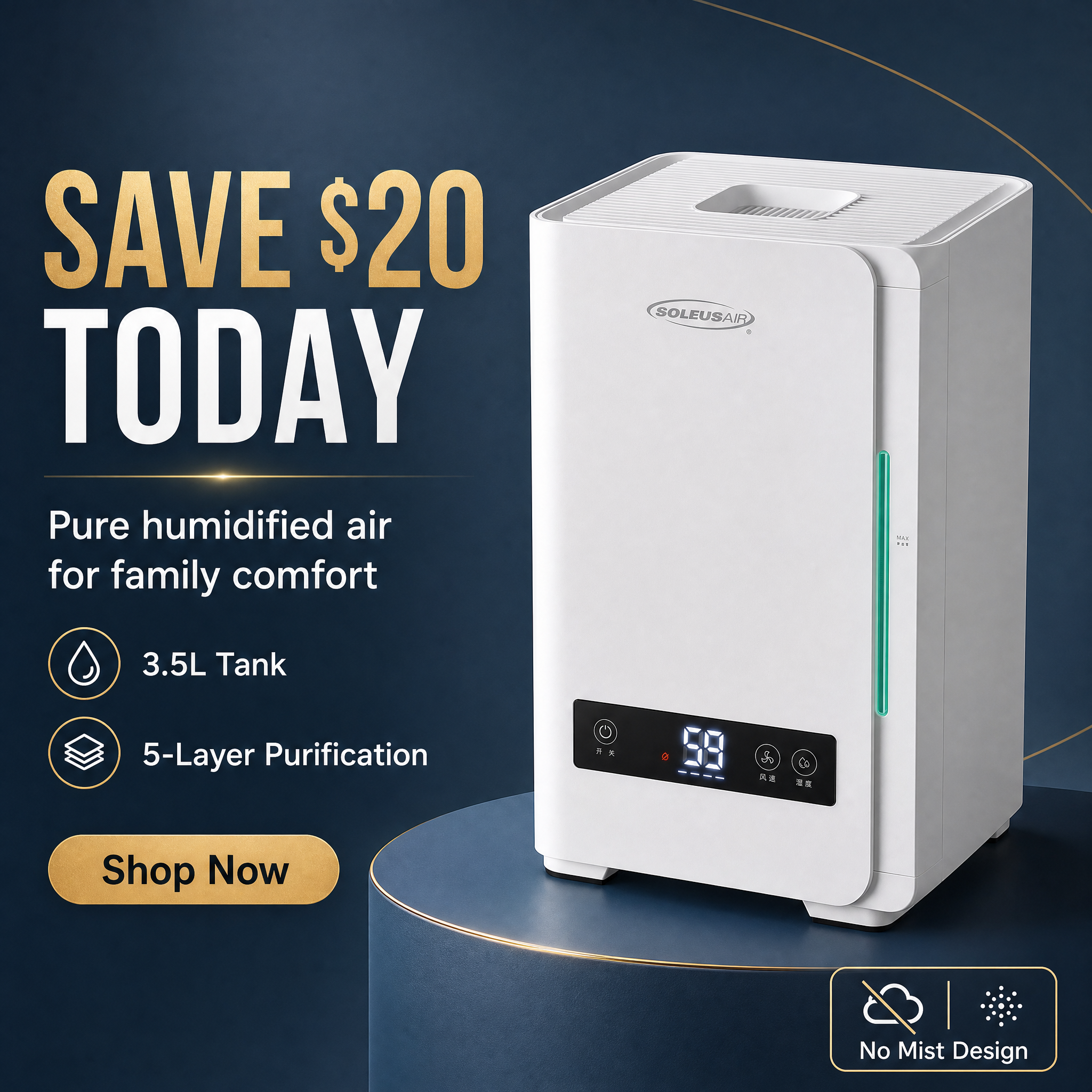
A landscape 1920×600 banner: the left 60% holds a large product shot against a blue-to-white gradient that mimics early-morning light, and the right 40% is dedicated to copy. The text block runs three lines: a headline reading "3.5L · 5-Layer Filtration · 28 dB," a subhead reading "All-night quiet humidification, no white mist," and a soft yellow promo sticker at the bottom reading "SAVE TODAY — New Launch Discount." The banner is free of decorative flourishes, the whitespace is disciplined, and it drops straight into JD homepage promo slots or the top of an Amazon A+ module.
How the AI Generation Plan Was Produced
The entire workflow required the operator to write zero prompts. Behind the scenes, the system did three things:
- Extract product attributes: After the reference photo was uploaded, the system first ran a structural analysis on the image itself — detecting visual signals such as "cylindrical appliance," "matte white body," "top-mounted touch panel," and "transparent water tank" — and then asked the seller to fill in structured fields in a form: category (appliances / humidifier), capacity, number of filter layers, ingress protection rating, noise level, and so on. This step took about 15 seconds, mostly spent filling in the form.
- AI-driven selling-point extraction and ranking: The image features and structured parameters were merged into a single input, and the system returned a prioritized list of selling points, automatically pushing "mist-free," "5-layer filtration," "IPX5," and "28 dB" into the top four slots while also identifying "parents and allergy sufferers" as the SKU's core audience tag. This step is entirely server-side and took roughly three seconds.
- Template matching and rendering: Based on the combination of "home appliance + matte white + bedroom setting," the system pulled the four best-matching layouts from the template library — the white-background hero, lifestyle scene, social ad, and promotional banner described above — and rendered each in turn. End-to-end rendering took around 30 seconds, averaging roughly seven seconds per image.
Throughout the workflow, there was no need to open any image editor or layout tool. The operator ended up with four PNGs plus a JSON parameter pack, ready to archive or push back into the listing backend.
Three Copy Dimensions: Platform × Color Tone × Selling-Point Density
YunJing AI exposes three knobs for copy and layout. The configuration used in this case was:
| Dimension | Options | This case | Scope of impact |
|---|---|---|---|
| Platform | Amazon / JD / Douyin / DTC site | Amazon | Hero image ratio, copy language, compliance rules (no decorative props in the hero) |
| Color tone | Warm / Neutral / Cool / High contrast | Neutral | Lifestyle image leans toward 4,200 K, banner uses a blue-to-white gradient base to keep matte white from going yellow |
| Selling-point density | Minimal / Standard / Dense | Standard | Banner keeps three selling points; the social ad focuses on a single core hook |
"Platform = Amazon" is the critical switch — it forces the hero to obey Amazon's pure-white background and product-ratio rules, strips the promo sticker out of the hero, and confines it to the banner, all of which keeps the asset clear of Amazon review flags. "Color tone = Neutral" is what keeps a white appliance that ships to both North America and East China from skewing yellow in warm-tone scenes. If the same SKU later goes into a Chinese New Year campaign, a single click can flip the configuration to "High contrast + Dense," and the system will regenerate the asset set with red promotional elements.
A 30-Second Replicable Workflow
Hands-on time for the full workflow is under 30 seconds (not counting AI rendering wait time on the backend):
- Open yjz.ai, find the "Soleus Air mist-free humidifier" card under the homepage "Creation Examples" section, and click "Generate yours" in the lower-right corner — the system pre-fills the form with every parameter used in this case (category, platform, color tone, selling-point density, template group).
- Drag your own SKU's white-background reference photo into the upload zone to replace the sample image. A resolution of 1200×1200 or higher is recommended, and the cleaner the background, the better.
- In the form on the right, update the capacity, filter layers, noise level, and other structured fields, and rewrite the selling points to match your product.
- Leave the platform, color tone, and selling-point density switches on the case's defaults, and adjust them only if needed — no prompt writing required.
- Click "Generate," wait around 30 seconds, and the four images render to completion. Download them one at a time or export the bundle as a ZIP.
- If one image isn't to your liking, keep the other three and run "Regenerate" on just that single image; the system preserves the style of the rest of the set.
Following this workflow, the asset cost of launching a new SKU dropped from 1,200 RMB per studio session with a three-business-day turnaround to a near-negligible per-call service cost plus a 30-second wait. Two weeks after this SKU went live on Amazon US, its hero image CTR was roughly 22% higher than the store's previous-generation humidifier — directly attributable to a clearer selling-point layout and the scene-driven banner.
Wrap It Up in 30 Seconds with YunJing AI
There is no good reason for home-appliance asset production to stay tied to studio bookings and retouching cycles. The "Creation Examples" section on the yjz.ai homepage already has the full Soleus Air humidifier parameter set in place — from the reference photo and product fields to the exact positions of the platform, color tone, and selling-point density switches, everything is public. Anyone can click "Generate yours" in the lower-right corner of the case card, upload their own SKU's white-background reference photo, reuse every preset, and have a listing-ready image set in 30 seconds.
Want to try the workflow described above?
Start with YunJing AI →